Point of sale, stock and theft watch, for your shop computer

Install once. Free for ever.

Put finpo on one computer in your shop, sign in once, and it is yours for as long as you want it. No card, no trial, no end date. Your cashiers get a selling screen they find easy, you get stock in pictures, and finpo checks for cash that is a little short or a count that is off by two.

Free for ever. No card, no sign-up first. Other computers and the offline installer

You pay only for finpo cloud, when you want a safe copy of your records and your shop on your phone. See what it costs

Already have a shop on finpo? Sign inWant to see it first? Book a 30-minute call
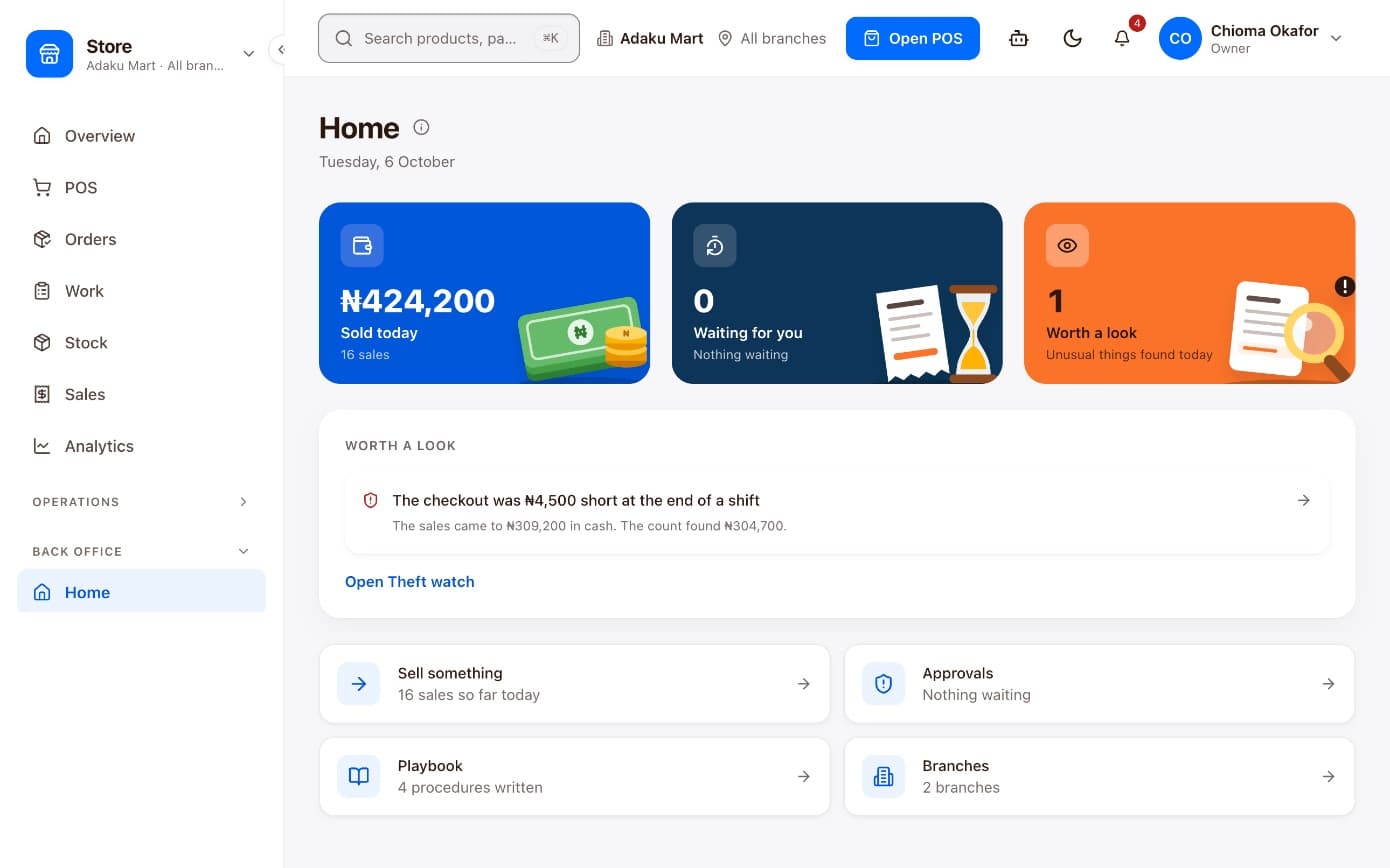
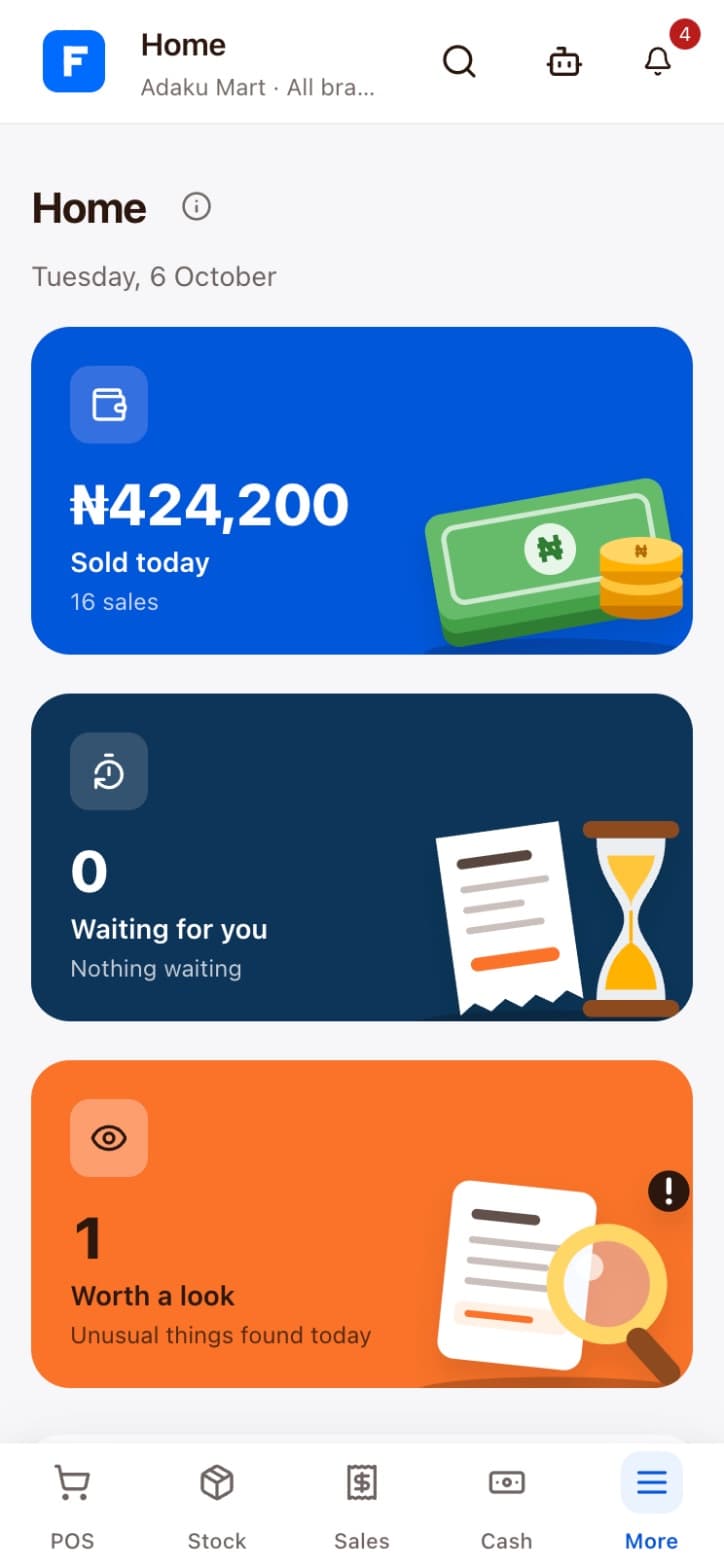
The owner's Home in finpo: 424,200 naira sold today, nothing waiting, and one thing worth a look, a checkout 4,500 naira short
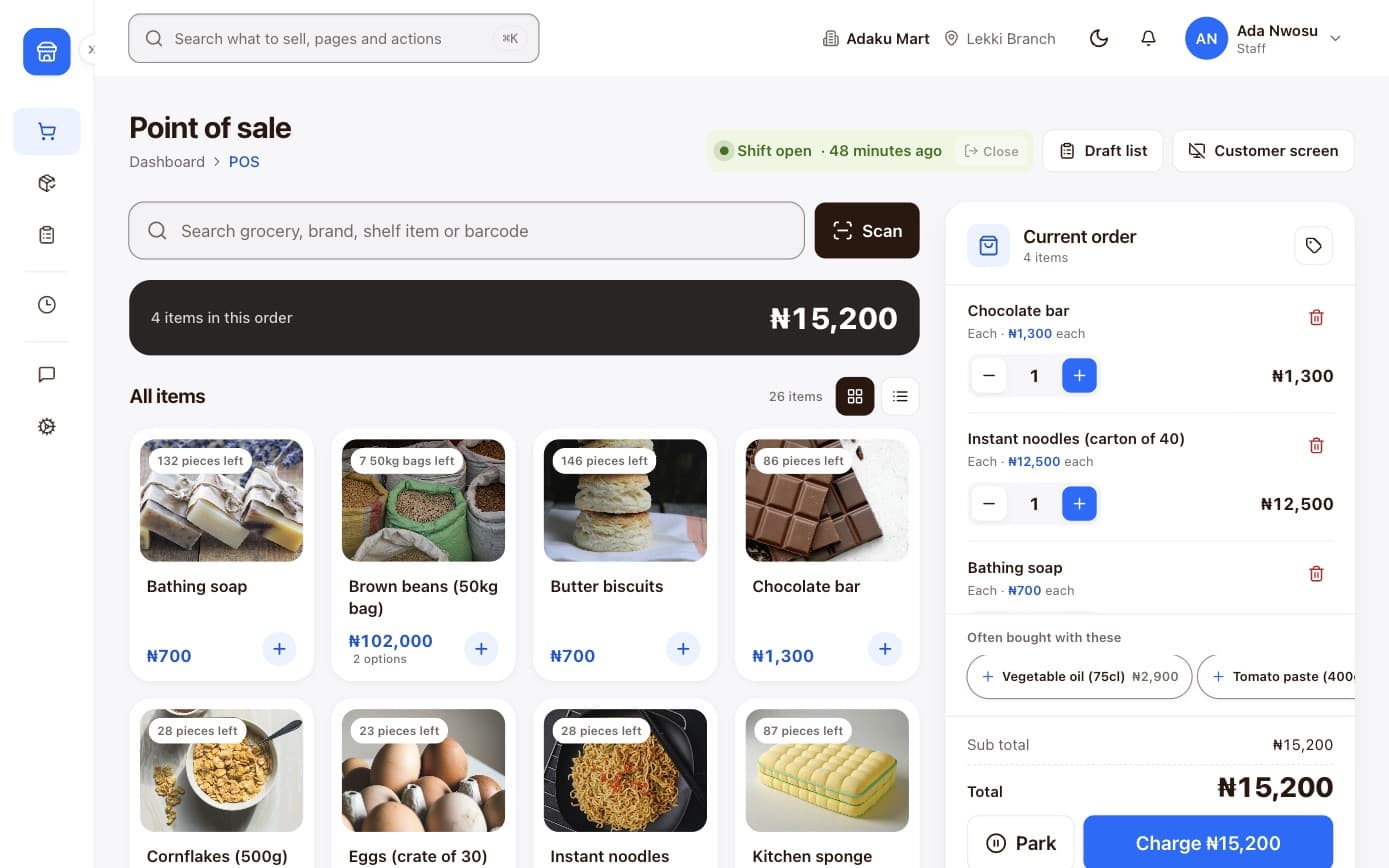
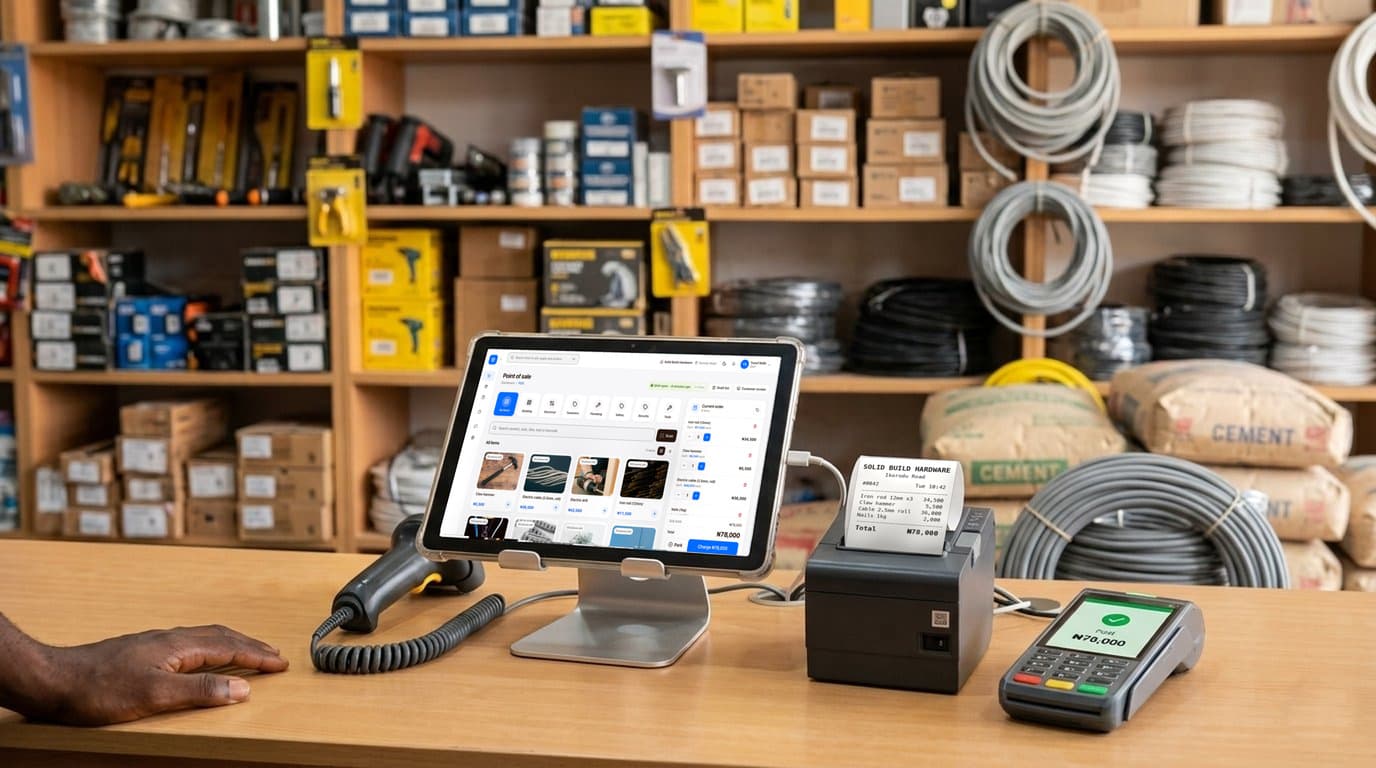
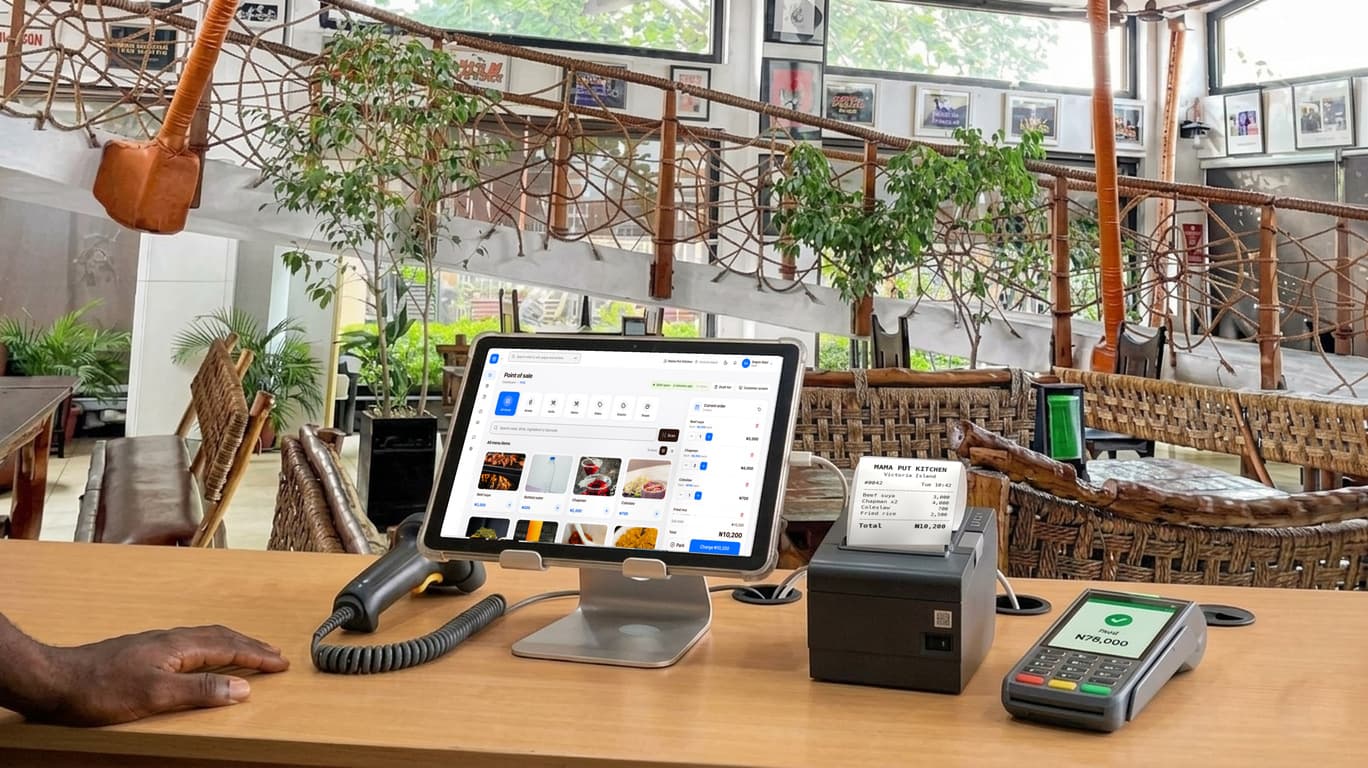
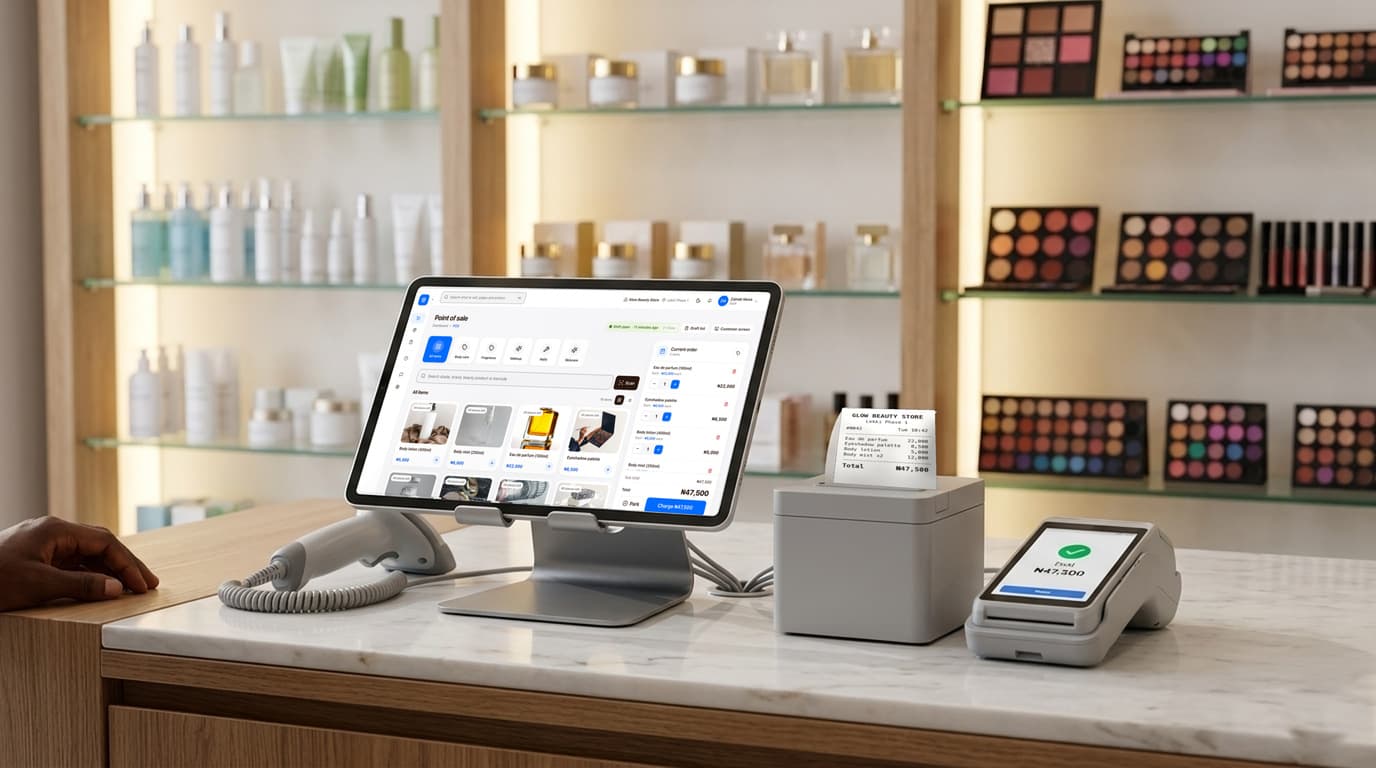
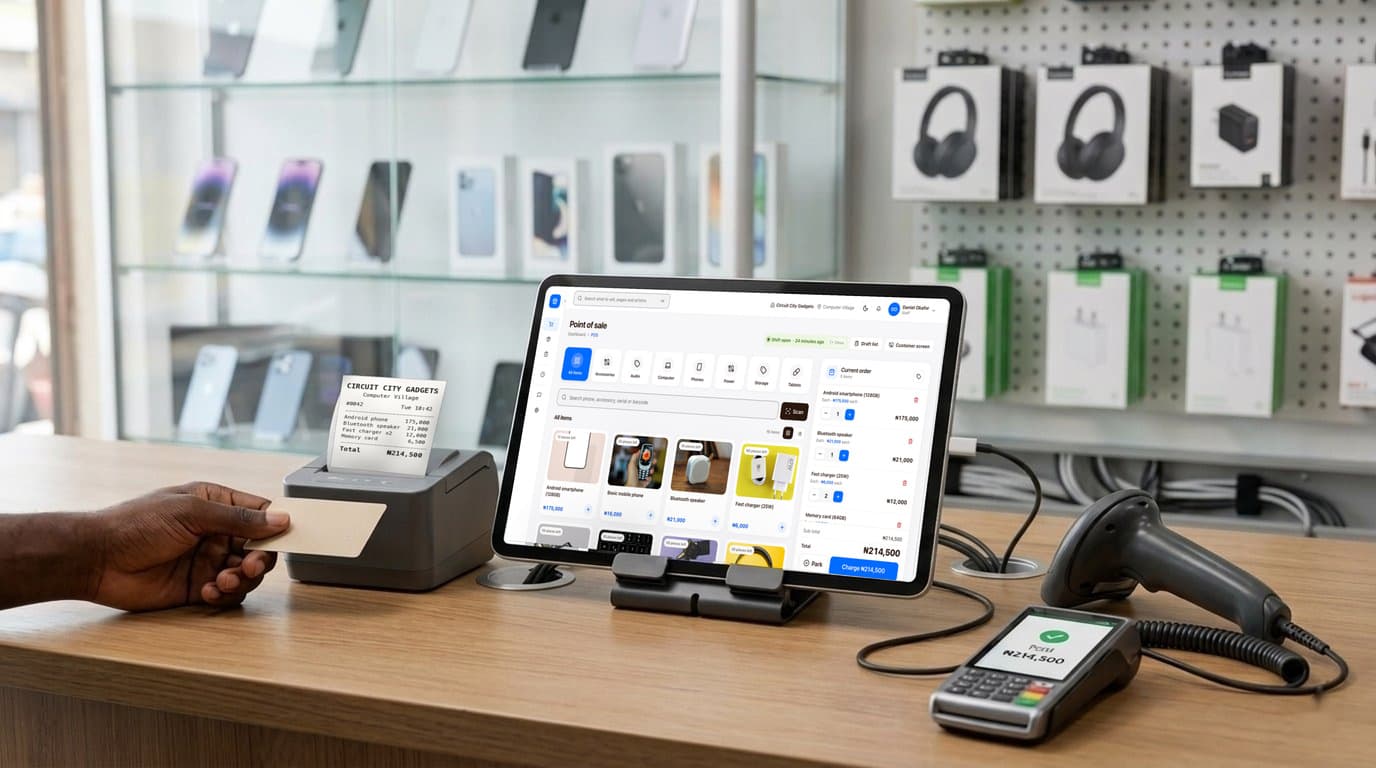
finpo's selling screen: product photos in a grid, a customer's order and its total beside them
finpo on the owner's phone: today's takings and what needs them
Sale, ₦12,400Front counter, just now
Day sealed21:04, nothing changed since

No internet needed

Sell, count and chat with your staff inside the shop with the internet off. The records go up when the line comes back.

Every sale checked

The same rules, every day, on every cashier. No guesswork and no AI.

Each day sealed

A change after closing shows the moment anyone looks.

Free on your computer

The shop computer app costs nothing and never expires. finpo cloud is the part you pay for.

Built forSupermarkets and provisionsPaint factories and shopsHardware storesPharmaciesBoutiques and cosmetics

Everything at your counter, working together.

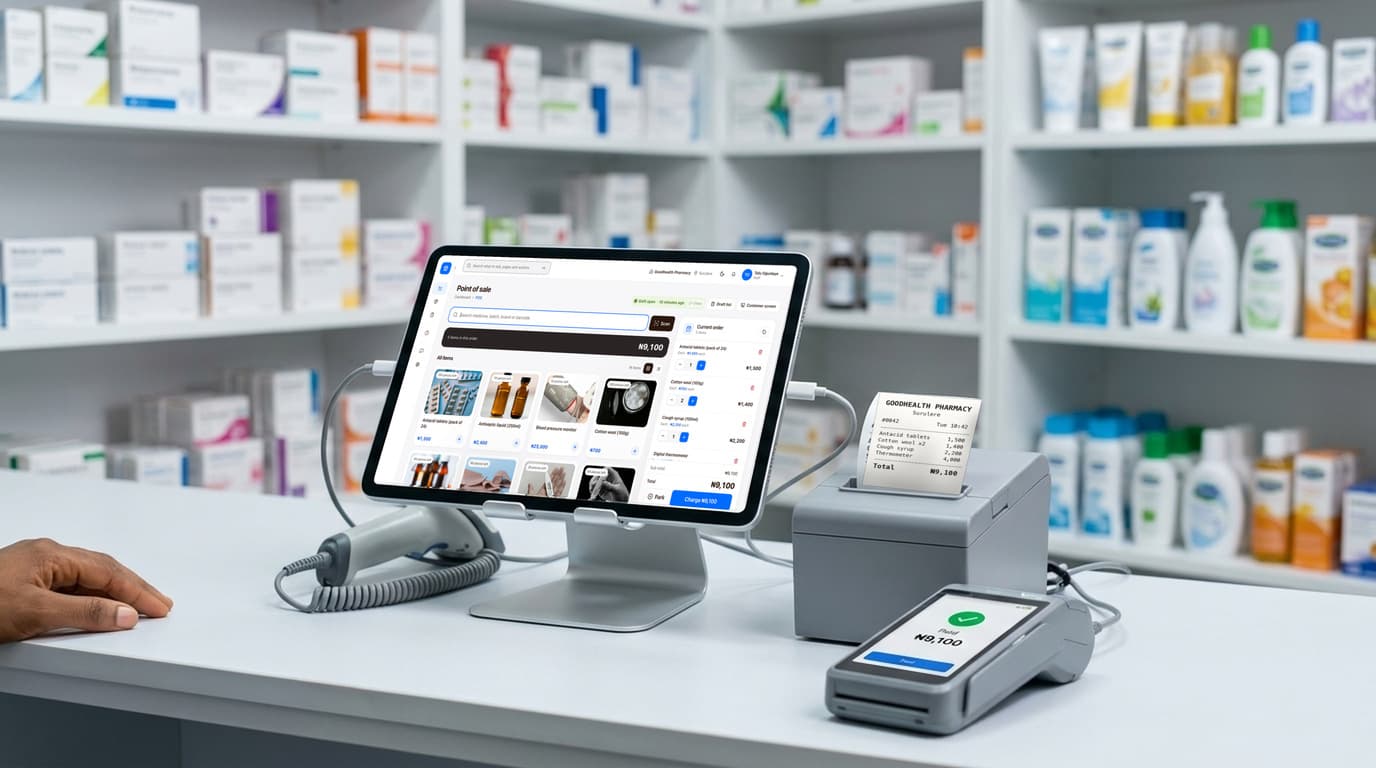
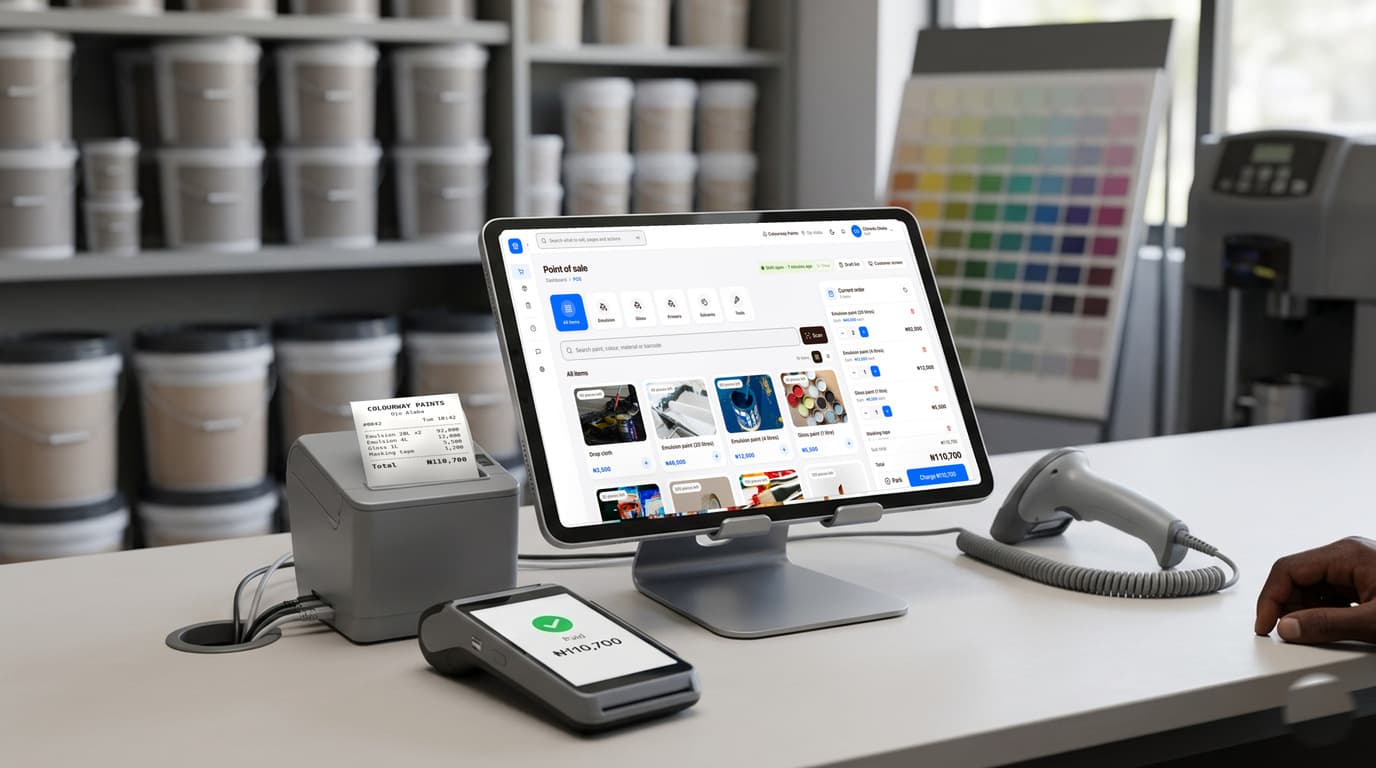
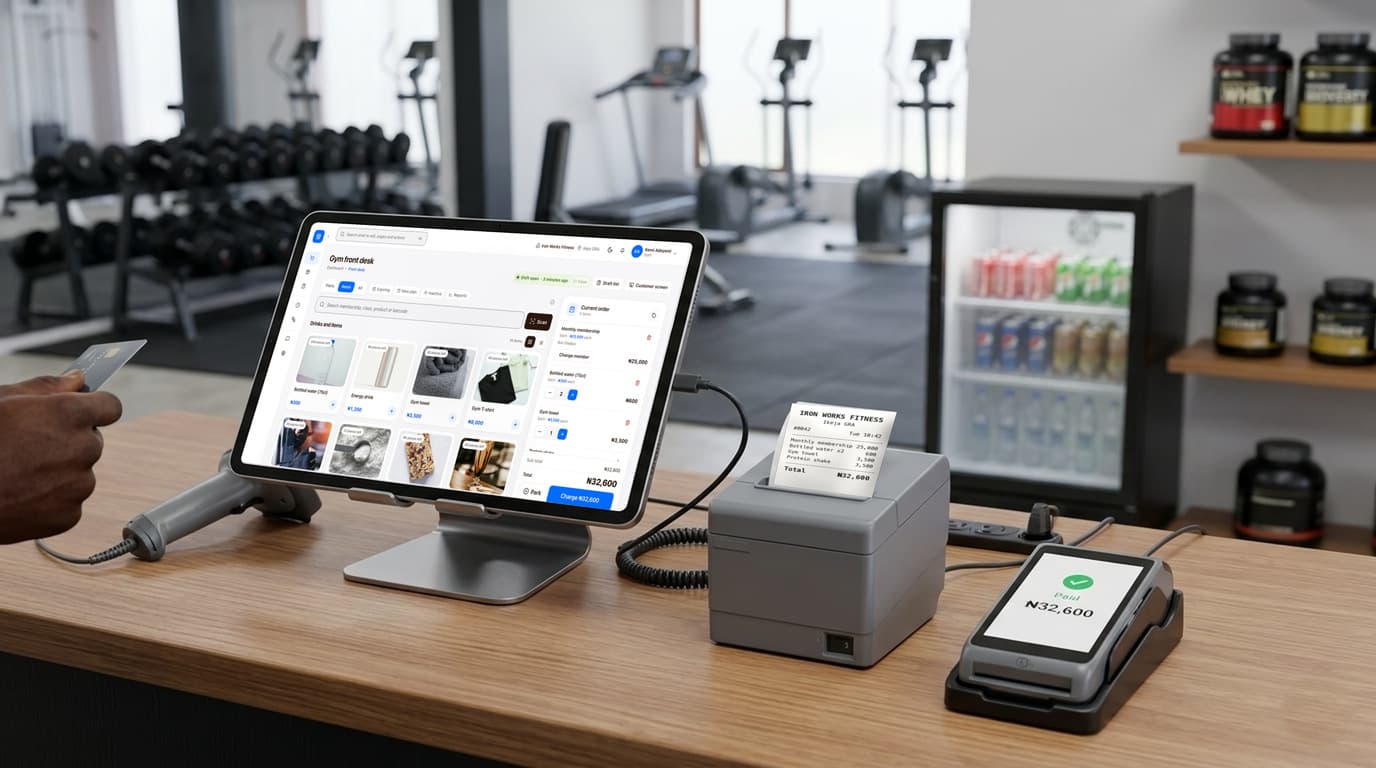
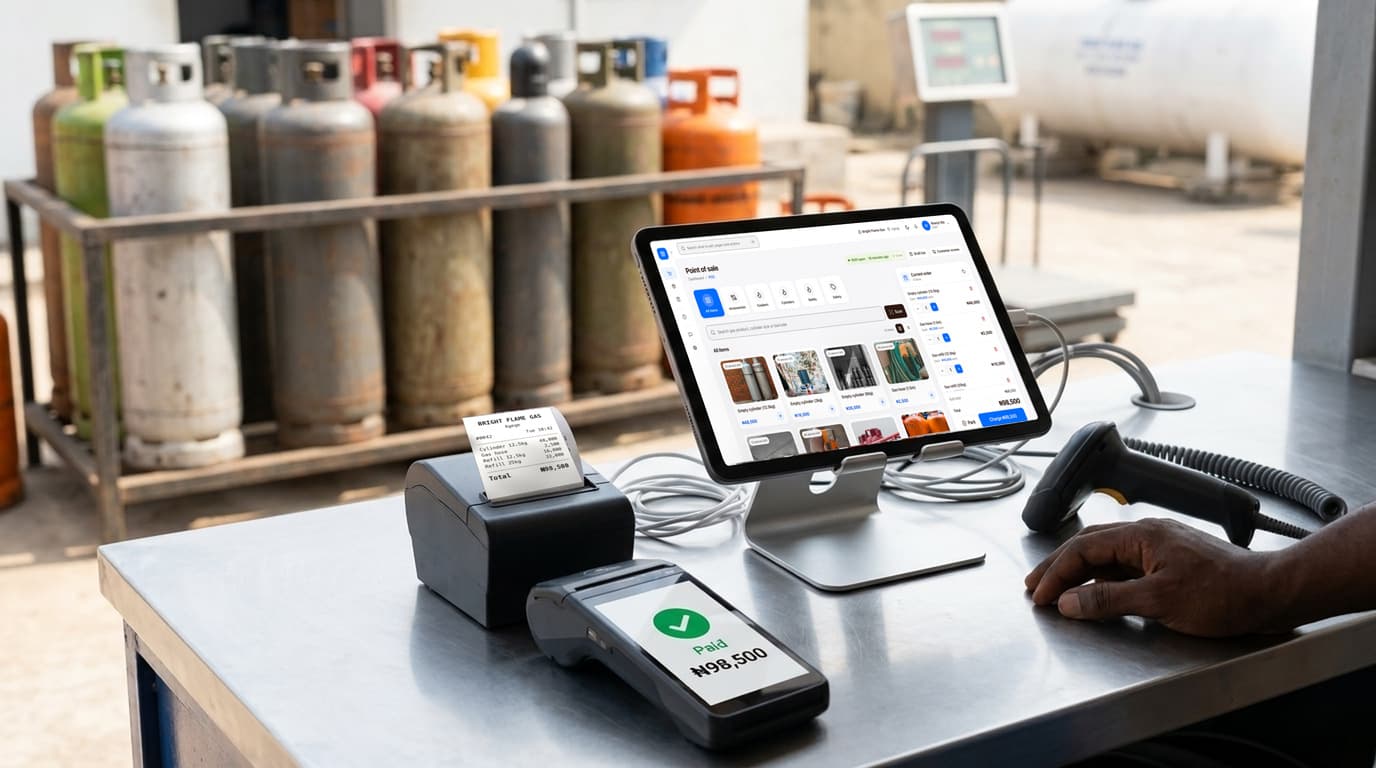
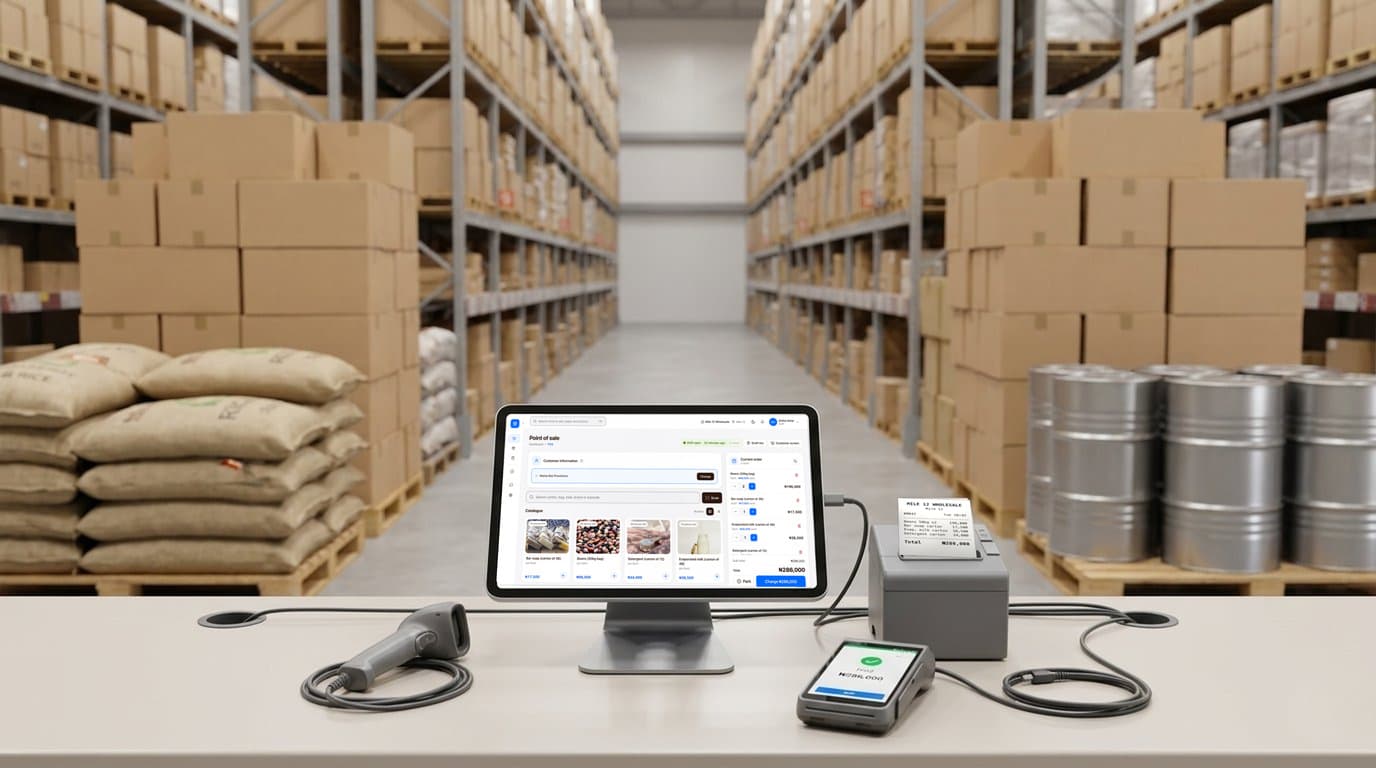
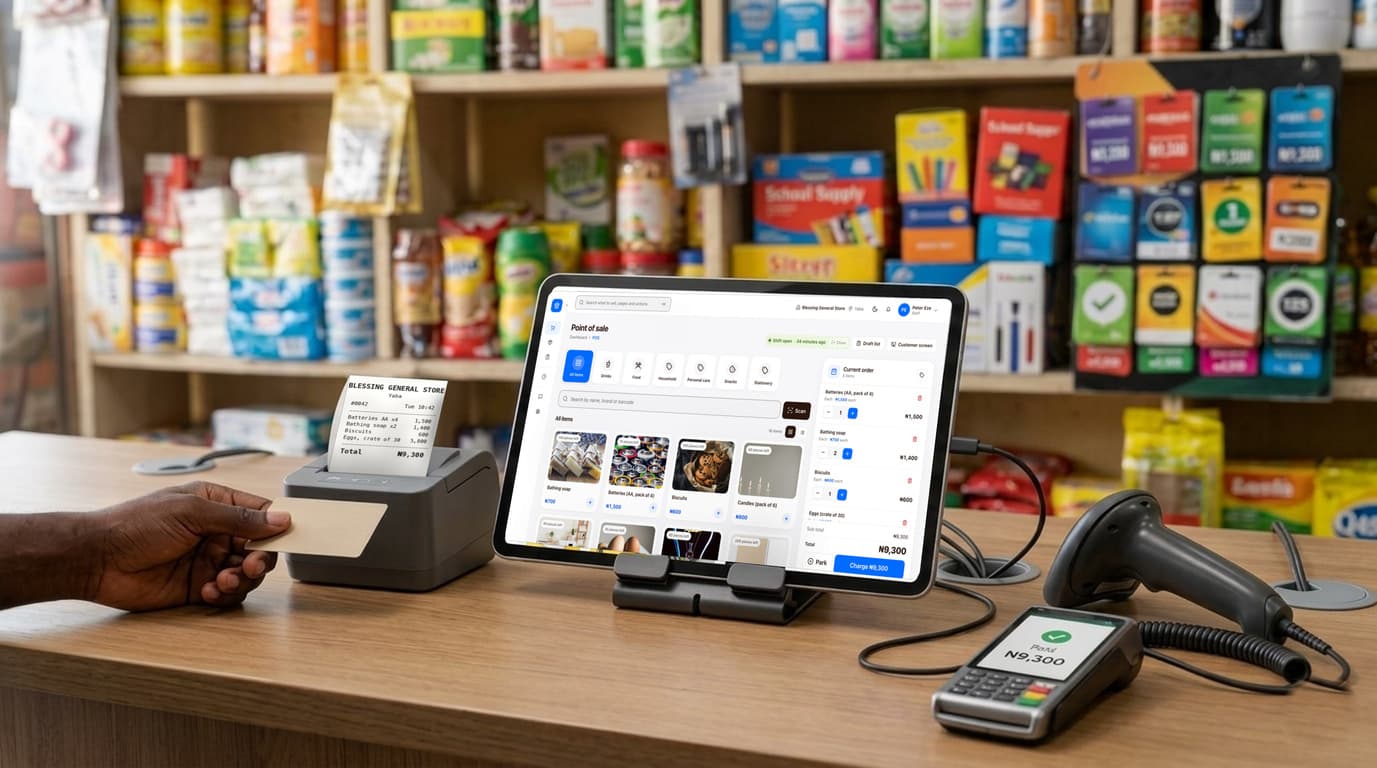
The selling screen, the receipt printer, the barcode scanner and your card machine, on a tablet or computer you may already have. finpo keeps them in step and keeps every sale.
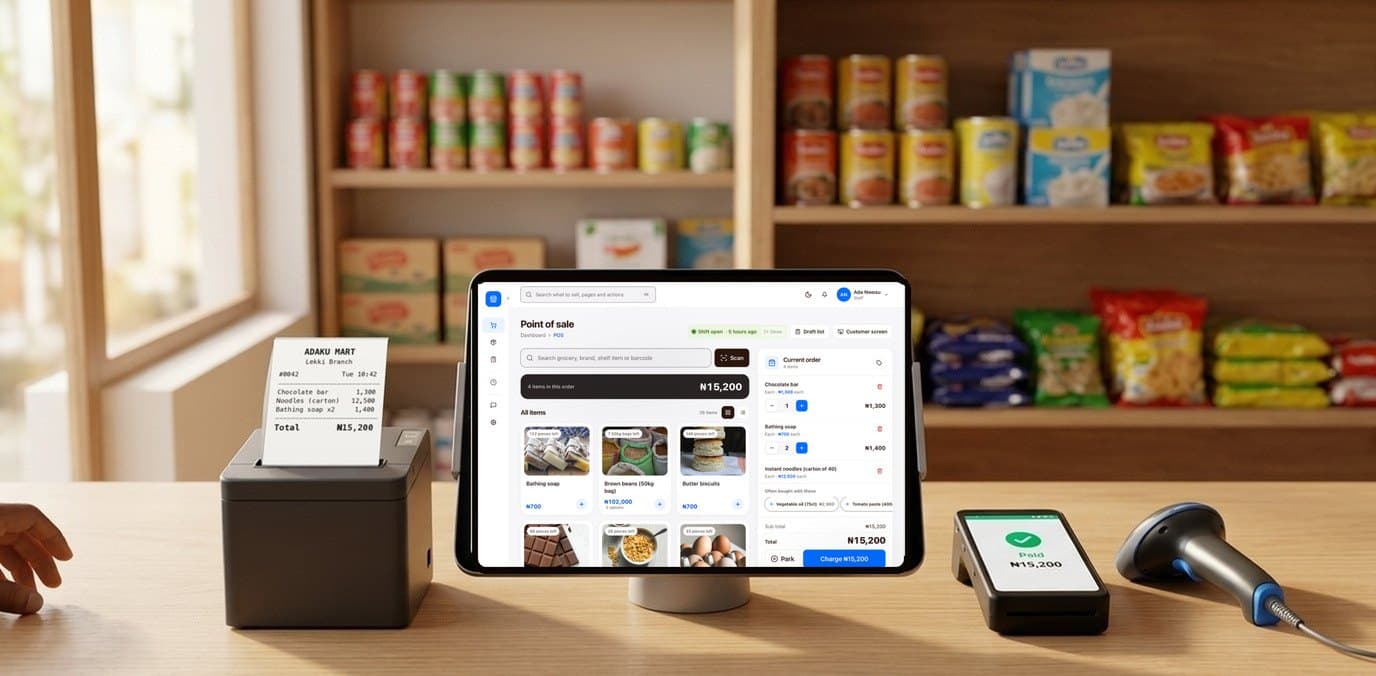
  • A supermarket counter with finpo: a tablet on a stand showing finpo's selling screen, a receipt printer with the receipt, a card machine that says paid, and a barcode scanner.
Supermarket

Everything your shop needs, on every screen.

One record book behind all of it. The checkout, the stock count and the staff account you made this morning all feed the one screen that tells you where to look.

  • finpo's selling screen: product photos in a grid, the order and its total on the right

    Sell on any tablet or computer

    Products as pictures, a barcode scanner that just works, cash, transfer or card, and a receipt the customer can trust. It keeps selling with no internet.

  • The owner's Home: what sold today, what waits for approval and what is worth a look

    Stock, staff and every branch

    What is on the shelf in pictures, who sold what, deliveries counted blind, and the day closed and sealed. Everything a manager does, from one screen.

  • finpo on a phone: the day's takings and what needs the owner

    Your shop, wherever you are

    Today’s takings, anything waiting for you, and anything that does not add up, as it happens. Approve it and get on with your day.

Know where the money and the stock went.

On every plan, from Starter up

A cashier selling on finpo at a shop counter
Front counterKept for you, 14:32

See what happened at the counter

The selling screen keeps a picture of the moments that matter, for your eyes only, for 90 days. Nobody is recognised by face.
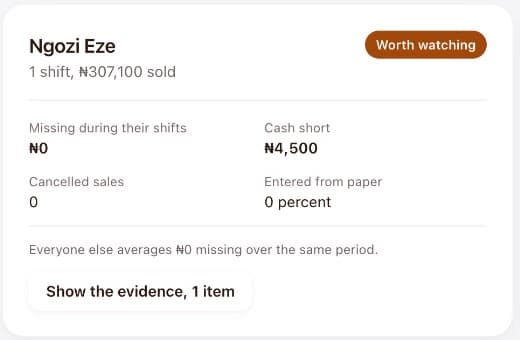
A cashier on Theft watch, marked worth watching: 4,500 naira short on one shift

See which shift had money missing

You see who was on when the drawer came up light, and by how much.
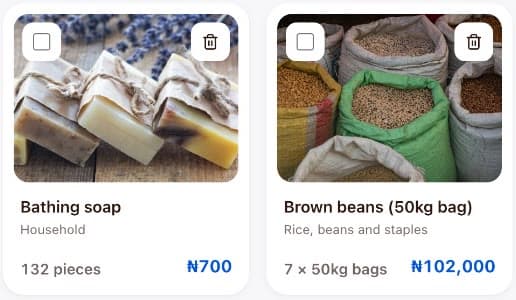
Products in stock as pictures, each with what is left and its price

Spot stock that walks out

When the shelf and the sales stop agreeing, you hear about it the same day.

Today's figures: 424,200 naira sold in 16 sales, nothing waiting, one thing worth a look

Yesterday stays as it was

Once a day is closed, its figures stay put. If anyone, you included, changes them afterwards, it shows.

See it on your own screens.

The selling screen for a supermarket: products as photos, a customer’s order and its total beside them
The selling screen still selling with the internet off
No internet, still selling3 sales waiting to go up

Your shop never stops working.

Light off, network down, money tight. The counter goes on taking money either way.

  • finpo can run on one computer in your shop. Every tablet, computer and phone on your own Wi-Fi sells from it, with nothing to install on them and no network outside the shop. When the internet comes back, your records go up by themselves.
  • Inside your shop, on your own Wi-Fi, your staff message you and each other with no internet at all. Send a photo of a delivery note, ask what is left in the store room, tell the counter a price changed. Away from the shop, you read them when you have network.
  • If you stop paying, nothing is locked and nothing is deleted. The parts that need the internet stop, and the counter keeps taking money, printing receipts and counting stock exactly as it did the day before.
  • Your sales, your stock and your staff sit in your shop, on your computer, and you can take a copy of all of it whenever you like. Leaving finpo never means leaving your figures behind.

A free website

Your business gets its own website, free.

Pick a look made for your kind of business and your website is ready, with the words already written. Add your pictures and your phone number, switch it on, and share its address on WhatsApp. Your rooms, your menu or your products come from finpo, so nothing is typed twice.

  • Looks made for hotels, restaurants, shops and gyms. Change the look any time and keep your words.
  • Several pages: home, rooms or menu or products, gallery, offers, about and contact.
  • Guests book a room, and customers order from their table, right from your website.
  • Free with your finpo account. No plan to buy.
  • Grand

    For hotels

  • Bistro

    For restaurants

  • Storefront

    For shops

For developers

Connect finpo to everything else you use.

If you have a developer, or you are one, finpo has an API and an MCP server for AI tools. Keep your online shop’s stock in step with the counter, send website orders straight to the kitchen, put the day’s sales into your accounting, or ask an AI assistant what sold best this week.

  • A clear API with keys you control: test keys that never change a thing, and live keys with only the rights you give.
  • An MCP server, so AI tools like Claude and Cursor can read your shop’s records in plain conversation.
  • Webhooks that tell your other software the moment a sale or an order happens.
  • Sales stay signed at the counter, so your theft checks see everything, whatever is connected.
Your stock, from your own code
curl https://finpo.nikcano.com/api/developer/v1/products   -H "Authorization: Bearer fk_live_..."

{
  "object": "list",
  "data": [{
    "object": "product",
    "name": "Peak evaporated milk 160g",
    "units": [{ "label": "Tin", "price": 75000 }]
  }],
  "has_more": true
}

Practice shop

Try it first on test data.

The finpo app opens a practice shop of your own kind, filled with test data: products with photos, a month of sales, a shift with money missing, deliveries to check and things waiting for your approval. Sell, count, close the day and see what finpo finds.

  • Nothing you do there touches your real shop or its records.
  • Show a new cashier how to sell there before they touch real money.
  • Every screen says it is the practice shop, so nobody mixes them up.
  • Leave it whenever you like, and start again from fresh.
The owner's screen in a practice shop: a month of sales, and what is worth a look
Practice shopTest data, your real records are not touched

Learn it fast

Every task, shown on a real screen.

finpo comes with more than 90 short videos, one task each: your first sale, receiving a delivery, counting stock, closing the day, adding staff, and the daily work of a pharmacy, a restaurant, a hotel and more. Most are under three minutes, in plain English, with made-up shops and people. A new cashier learns by watching, not by asking you.

  • Inside the app, under How to, on your phone, tablet or shop computer.
  • Each person sees the videos for what you have let them do. A cashier is shown selling, not your stock checks.
  • Made for your kind of shop, with the other kinds a tap away.
  • Search for what you want to do, such as "add a product" or "close my shift".

How to

Make a sale2:00
Keep selling when the internet is down2:47
Count the stock, and see the differences1:23
Close your shift at the end of the day1:16
Add a staff member0:46
Let customers order from a link2:30
92 videosOne task each, in plain English

Fits into the way your shop already works.

You do not have to change how you sell. Keep your prices, your goods and your staff. finpo works on a tablet or computer you may already have, and with most USB scanners and receipt printers, so your counter keeps running the way your customers know it.

The record gets written first. What it shows you comes after.

  • A trader at her market stall, tomatoes and peppers laid out in front of her

    Market stalls

  • A market trader standing at his stall holding a phone, scales hanging behind him

    Provisions and produce

  • A fruit seller arranging a price card over mangoes and watermelons

    Anyone who sells by the piece

We set it up first. You pay when it works.

We bring any tablet, printer or scanner you order, install everything at your counter, put in your products and show your staff how to sell. You pay once it is selling in your shop.

Priced in your money.

What you see is what you pay, with no surprise at the end of the month. Every plan catches theft the same way, from Starter up.

Full pricing and comparison

Questions shop owners ask.

Something else on your mind? Book a 30-minute call with us, and bring your questions about your own shop.

  • Yes. Put finpo on one computer in your shop and every tablet and computer on your Wi-Fi sells from it, with or without internet. Your records go up to the cloud by themselves when the line comes back.
  • Yes, inside your shop. With finpo on one computer in your shop, every phone, tablet and computer on your Wi-Fi can send messages and photos to the others with the internet off. Away from the shop, chat needs network like any other app.
  • By watching. finpo has more than 90 short videos inside the app, one task each, in plain English. Each person sees the videos for what you have let them do, so a new cashier is shown selling and receipts, and a stock keeper is shown deliveries and counts. You can also let a new person practise in the practice shop first.
  • A phone, tablet or computer with a browser is enough to begin. For a counter that sells all day, a tablet or computer, and a barcode scanner and receipt printer if you have them. Most USB scanners and printers work as they are.
  • Every sale, count and change is written in a record book that shows it when a line is changed. Counts are blind, risky actions take a photo, and the same rules check every cashier every day. Nobody, you included, can quietly change yesterday.
  • Nothing is locked and nothing is deleted. Selling, receipts and counting on your shop computer never stop. Only the cloud half, your shop on your phone and the safe copy of your records, waits until you pay again.
  • Yes, for ever. There is no licence, no end date and no limit on staff, products or selling points. You sign in with a finpo account once, with the internet, so your shop has an account to come back to. You pay only for finpo cloud, which is what needs the internet.
  • Yes. finpo cloud starts on a Free plan, with no card and no end date, so you can see your shop on your phone and ask the business analyst a few questions before you pay. The app for your shop computer also has a practice shop, already full of products and a month of sales, to try everything on first.

Your shop is already telling you where the leak is.

Start reading it tonight. The app for your shop computer is free for ever, and finpo cloud starts free, with no card.

Rather talk it over first? Book a 30-minute call

The selling screen, ready for the next customer